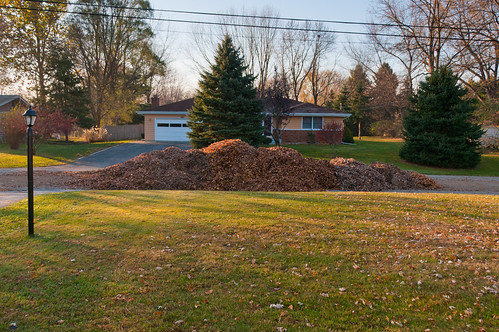
I grew up thinking that these piles of leaves everywhere in the fall were essentially a nuisance. They attracted dog poop and were therefore potentially dangerous to play in. Yet fresh piles of leaves were definitely played in. And otherwise, that they just looked messy, and you had to spend all this time raking and sweeping them up just to have them hauled away by the street cleaner. No more!
As I’ve grown and watched more and more seasons pass with each trip around the sun, I have come to recognize the inherent value of leaves. In particular, they are possibly the best building block for making garden soil at home. Sure, plenty of people are composting their kitchen scraps nowadays, but how many people are actually using all of the leaves in their yard to make soil? I’d guess it’s less than 10%. (That’s a lot of trucking and hauling around of leaves that can be stopped!) Leaves contain a massive amount of captured energy, that most of us are letting go to waste. Composting piles can even be used for heating water!
I’ll recommend two or three methods for the soil conversion process today, depending on the volume of leaves you’re dealing with:
1. Small Amount of Leaves
If you only have a small amount of leaves, I recommend mixing them into your compost bin, which you should be doing already if you want good, fast decomposing compost. This is very easy and only takes as long as collecting your leaves and dumping them and mixing them in. Use compost as normal in your garden (as a natural fertilizer and microbiological booster)
2. Medium Amount of Leaves
With this method, you’ll use large plastic bags, like garbage bags will work, although I’ve seen clear plastic bags recommended so it doesn’t get too hot in the sun. The trick to making the leaves decompose even faster is adding a compost accelerant like EM-1 or Bokashi, which you can also make yourself. If you don’t have this, you can make something similar just by letting fruit and vegetable scraps ferment in a bucket, and then straining off the liquid. You dilute and spray the liquid into the bags onto the leaves, just enough to kickstart the decomposition process. After the bags have lost 50% of their volume, mix with additional soil in your garden and you’re ready to plant! More info here: http://bokashiworld.wordpress.com/2011/04/08/bokashi-leaves-a-bucket-full-of-soil/
3. Large Amount of Leaves
If you have a massive amount of leaves, it may not make sense to use so many plastic bags. I would recommend making a single huge pile of the leaves, which you can contain inside a wooden fence, or chicken wire, or just in the middle of a cleared area, and then cover it with a tarp. This will help the pile to heat up considerably, and the leaves will break down over a few months, although you may have to stir it up and wait a little into the spring if you get snow in the winter.
Additional options:
You may want to consider adding mycorhizal innoculant (mushroom spore powder, essentially) to the leaves as well, as this will help both break down the leaves as well as deliver nutritients to your plant roots once the compost makes it into your garden.



 So… It seems to me that if Newspapers truly wanted to get “hip”, they would not just use social networks to let their readers spam their friends, but actually integrate with social networks to let their readers connect with their friends and co-comment on articles and create and foster real discussion about the issues presented.